If you’ve ever searched “home office inspiration” and immediately felt personally attacked by the sheer number of perfect desks… same. Everything looks like it belongs in a showroom where nobody ever eats crackers over their keyboard, loses a charger, or gets interrupted by a doorbell that somehow rings exactly when you’re trying to sound competent on Zoom.
Real life needs more than a pretty chair and a candle. It needs comfort you can sit in for hours, lighting that doesn’t make you look like a ghost, storage that prevents the paper creep, and a setup that stays tidy even when you’re stressed and your brain is doing that “I’ll deal with it later” thing.
So this is a warm, practical guide on how to decorate a home office without reinventing your whole house. I’m going to give you a simple decorating order (so you don’t buy the cute stuff first and then realize you have nowhere to plug it in), plus a cozy, camera-friendly result that works for small spaces and shared rooms.
Start Here: The S.E.T.U.P. Sequence for How to Decorate a Home Office
If you only take one thing from this post, let it be this: decorating a home office is easier when you do it in the right order.
S.E.T.U.P. is the sequence I use so the space feels good and looks good:
- S: Select the right spot
- E: Ergonomics first
- T: Three-layer lighting
- U: Upgrade organization
- P: Personalize with decor
It’s basically the difference between “Pinterest corner” and “I can work here all week without hating my life.”
What “functional home office” really means (comfort + focus + easy reset)
A functional home office isn’t fancy. It’s a space that supports you when you’re tired, distracted, or busy. It does three things:
- Comfort: your chair and desk don’t hurt your body
- Focus: your setup reduces friction (glare, clutter, noise)
- Easy reset: you can tidy it in a minute so it doesn’t slowly turn into a doom pile
If you can sit down, start working fast, and end the day without chaos spilling into your living room, you’re winning.
The 5 things worth deciding before you shop
Before you add anything to cart, decide these five things:
- Where your desk will live (and what it’s sharing space with)
- Your main work needs (laptop only, monitor, lots of paper, calls all day, creative mess)
- Your lighting situation (daylight, overhead, glare, night work)
- Your storage strategy (closed, open, vertical, hidden)
- Your vibe (cozy minimal, modern, cottage, creative, calm and neutral, moody and rich)
These decisions prevent expensive “oops” purchases. And they make your space look intentional, even if you’re decorating slowly.
S — Select the Right Workspace Location (So Work Feels Easier)
You don’t need a whole room to have a home office. You need a spot that supports focus and doesn’t constantly fight you.
Best spots in a home (spare room, bedroom corner, living room nook)
Spare room: obviously ideal if you have it. You get boundaries and the ability to close a door, which is basically luxury.
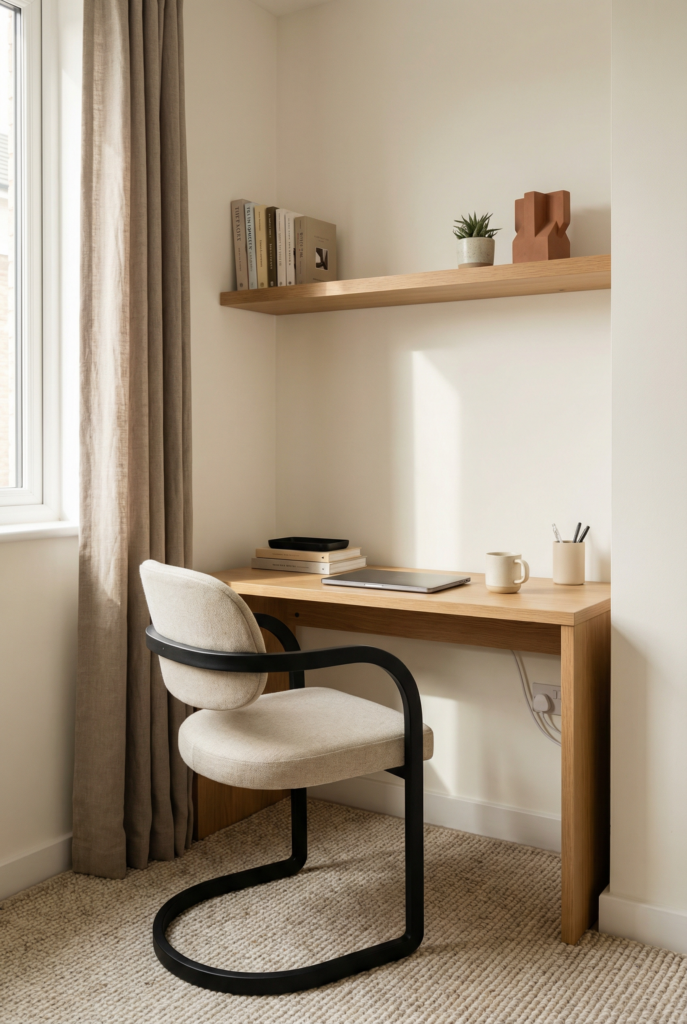
Bedroom corner: workable, but you’ll want to separate work from rest. A desk facing away from the bed, a small rug, or even a screen can help your brain not associate your sleeping space with spreadsheets.
Living room nook: great for small homes, but it needs tighter organization so it doesn’t feel like work is everywhere. Think: closed storage, cute baskets, and a “hide it fast” system.

My personal rule: pick the spot where you can keep the setup semi-permanent. If you’re clearing the dining table every morning and evening, it can work, but it’s harder. You’ll need extra “reset” habits.
Window vs wall: focus, glare, and Zoom background tradeoffs
This is the question everyone asks because it actually matters.
- Facing a window: great for mood and daylight, but it can cause screen glare and distraction (especially if you watch birds like it’s your job).
- Facing a wall: great for focus and fewer distractions, but can feel cave-like without good lighting and art.
- Best for most people: desk perpendicular to the window. You get daylight without glare, and your Zoom background is more controllable.
For Zoom: avoid a bright window directly behind you unless you have good exposure compensation or a ring light. Otherwise you become a silhouette. A softer side window is usually the sweet spot.
Small home office ideas: carving out a workspace without losing the room
If you’re working in a small space, the trick is to create a visual boundary.
A few ways to do that:
- a small rug under your chair
- a narrow desk that matches your room’s furniture style
- a wall-mounted shelf above the desk for vertical storage
- a pinboard or art wall that signals “this is the work zone”
- a cabinet you can close at the end of the day if you want maximum tidy
Also: you’re allowed to use “awkward spaces.” A hallway with a shallow desk, a landing, a closet office, the corner behind the sofa. If it has outlets and light, it can work.
E — Ergonomics First: Desk and Chair Setup That Looks Good Too
This is the part people skip because it feels unglamorous, and then they wonder why they hate working from home.
Ergonomics is not just corporate talk. It’s “can you sit here without pain and stay focused.”
Home office desk placement rules (reach, clearance, outlets)
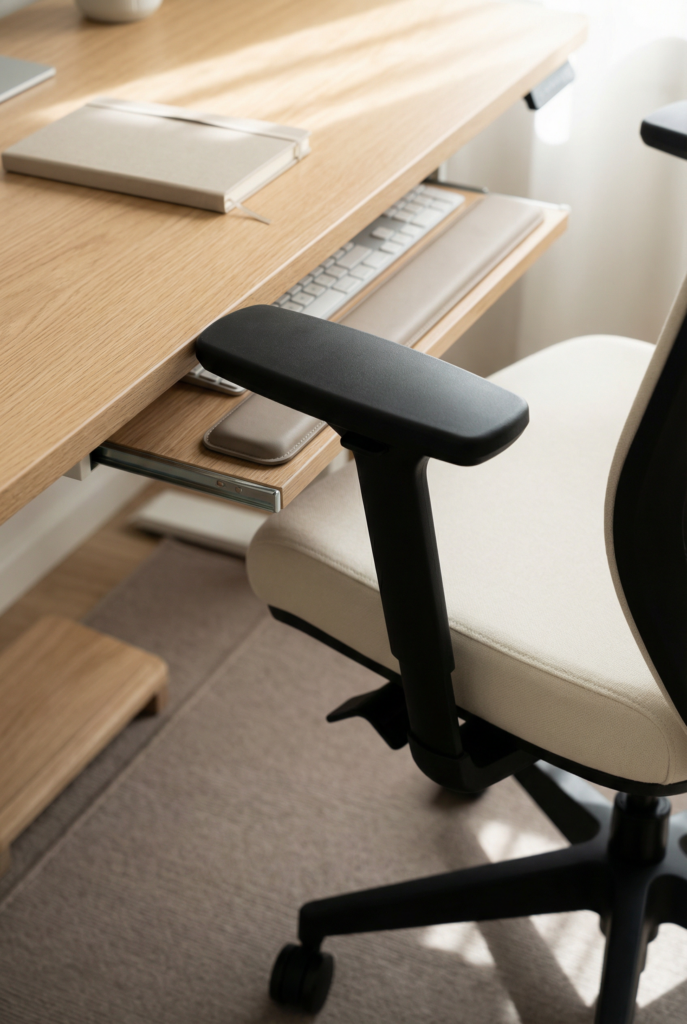
A desk works best when:
- your elbows have room and you’re not hitting a wall with your chair
- cords can reach outlets without becoming a hazard
- you have space to pull the chair out easily
- your most-used items are within reach without stretching
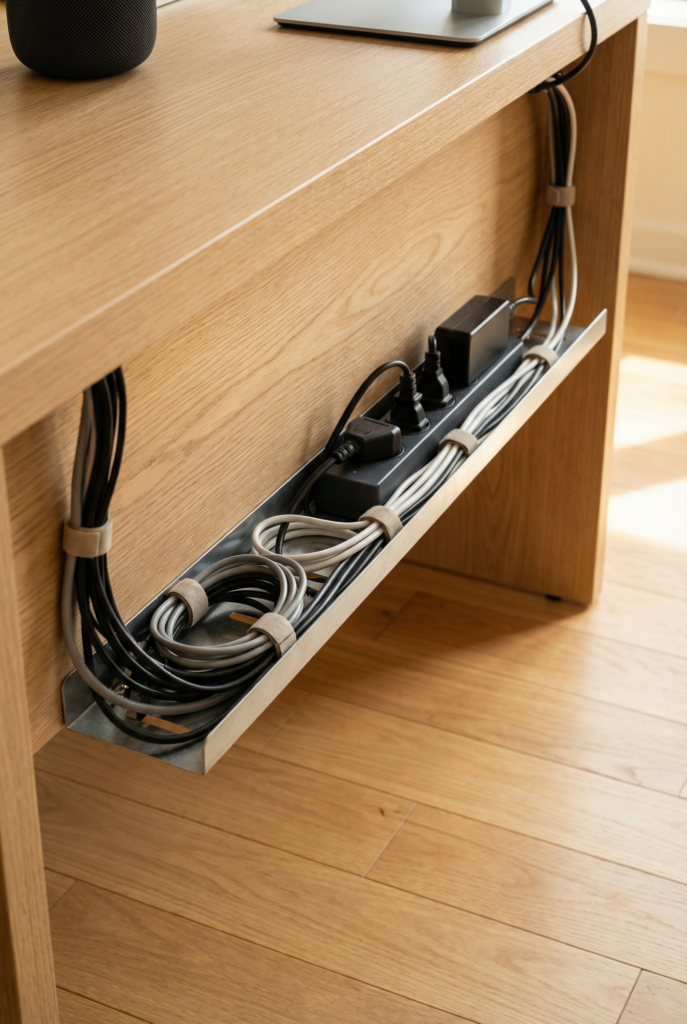
Also, outlet access matters more than people think. If you’re constantly stepping over cords or running a charging cable across the room, the space will feel messy even if it’s styled.
Choosing an ergonomic office chair (support, height, materials that feel “home”)
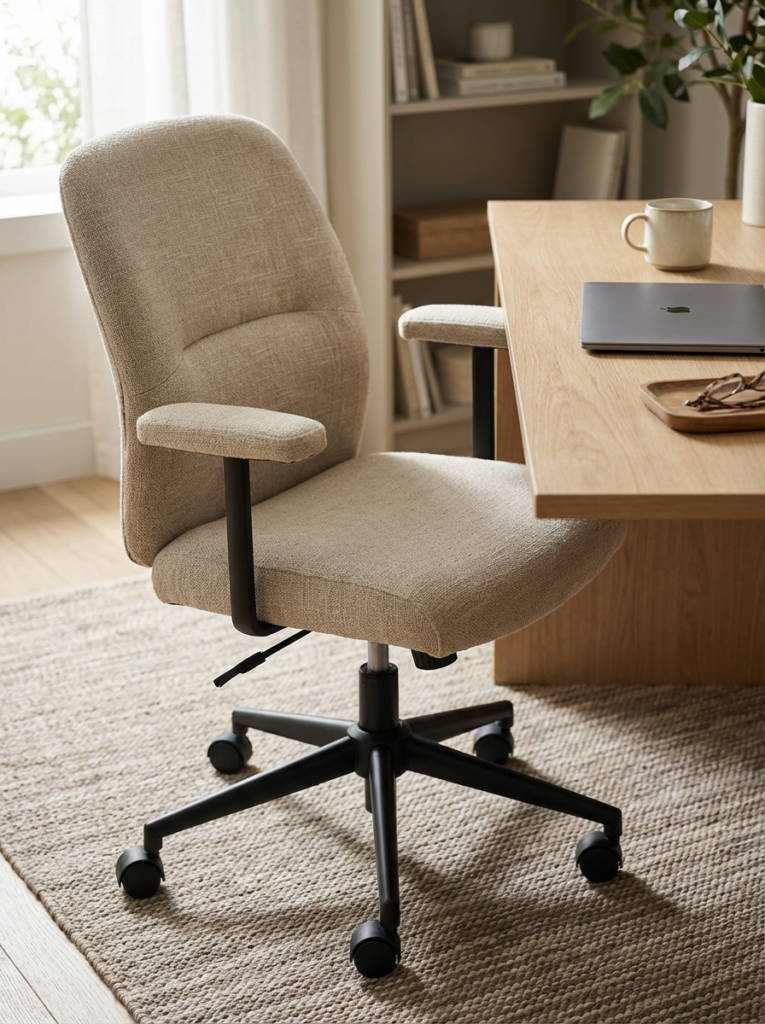
The best chair is the one you’ll actually sit in comfortably for hours.
Look for:
- adjustable height
- lumbar support (built in or added)
- a seat depth that fits your legs
- armrests that don’t push you too far from the desk
And then the “home” part: choose upholstery and colors that feel like your home, not a breakroom. Warm neutrals, textured fabric, or even a nice leather if that fits your vibe can still be ergonomic.
If you want the most Pinterest-friendly ergonomic moment, pick a chair with a clean silhouette, then add comfort with a lumbar pillow in a nice fabric. (This is also how you make ergonomic stuff feel less corporate.)
Quick posture-friendly setup (monitor height, keyboard/mouse zone, foot support)
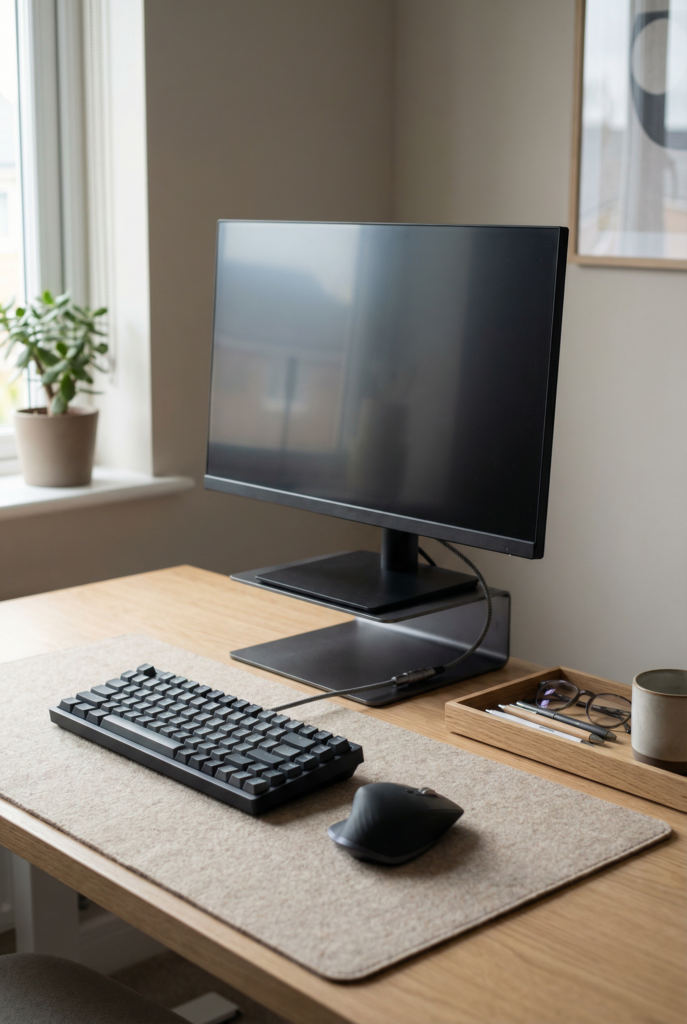
If you do nothing else, do this quick setup:
- Monitor height: top of your screen near eye level. If you use a laptop, elevate it and use an external keyboard/mouse when possible.
- Keyboard and mouse: close enough that your elbows stay near your sides.
- Feet: flat on the floor. If your feet dangle, use a footrest or a sturdy box.
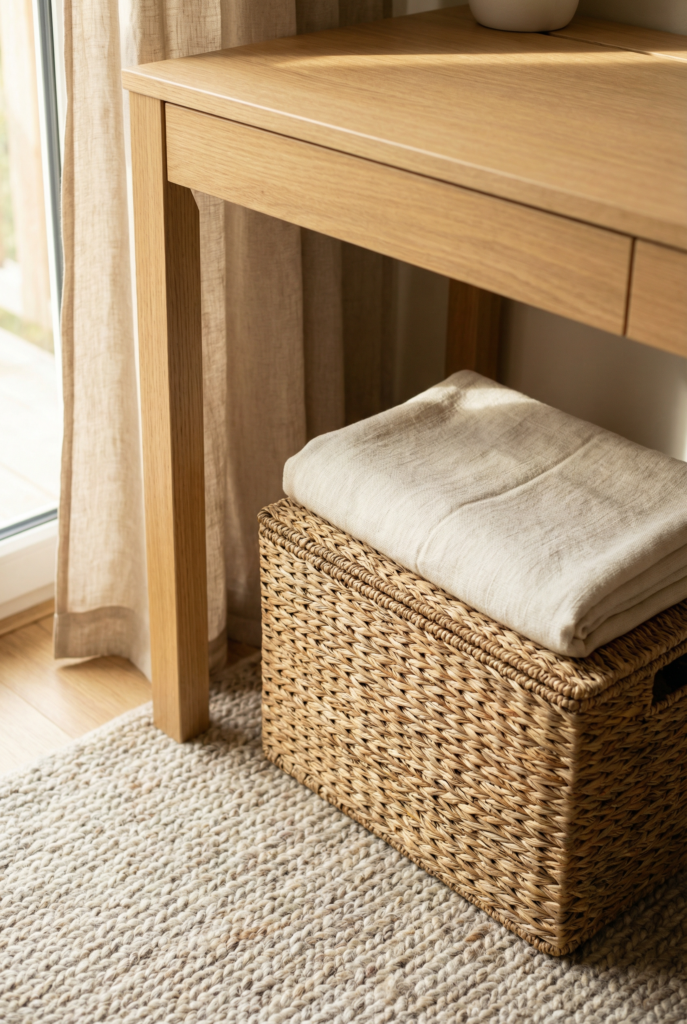
This is the boring secret to more comfort and better focus. Pain is distracting. Even small pain.
“Design-forward” ergonomic options (how to avoid the corporate vibe)
You can have good ergonomics without turning your home office into a tech startup.
Try:
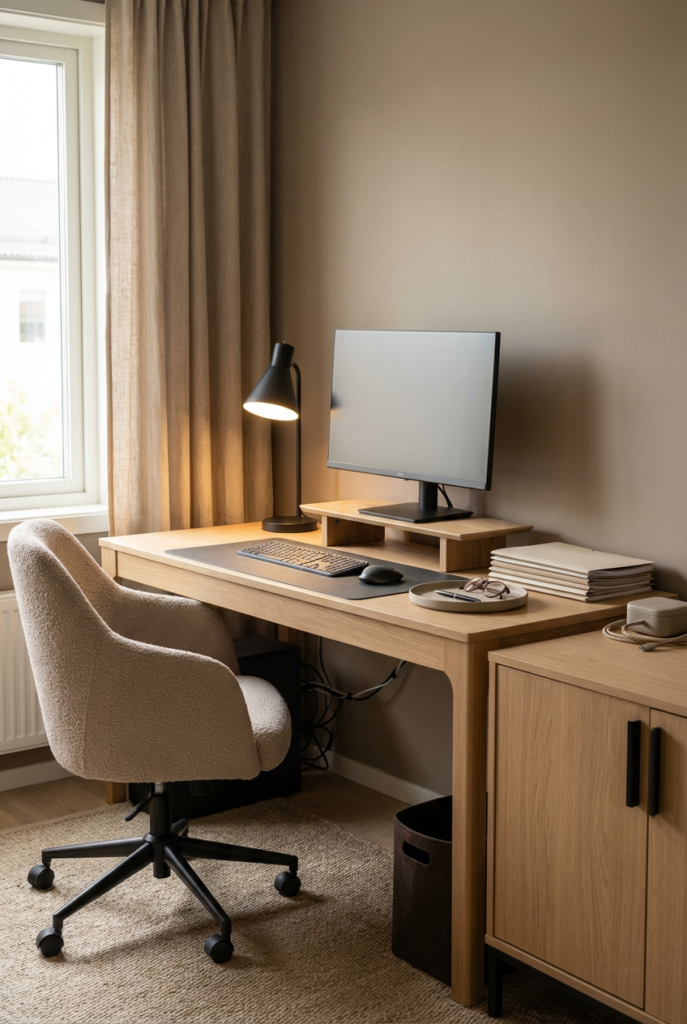
- a wood monitor stand that matches your desk
- a slim ergonomic chair in a warm neutral rather than black mesh
- a desk mat in linen-look or leather-look for warmth
- a keyboard and mouse in softer tones
The goal is “supports your body” and “blends with your home.”
T — Three-Layer Home Office Lighting (No Glare, No Cave Vibes)
Lighting is one of the biggest make-or-break factors in a home office. It affects mood, productivity, and how the whole room looks in photos and video calls.
The 3 layers: ambient + task + accent (and why one overhead light isn’t enough)
A single overhead light creates harsh shadows, glare, and that “cave or interrogation room” vibe.
Instead, use three layers:
- Ambient: general room light, often a ceiling fixture or floor lamp
- Task: focused light for working, like a desk lamp
- Accent: softer glow for mood, like a small lamp, LED strip, or shelf light
This combination makes the space feel cozy and intentional. It also helps your eyes.
Glare check: where to place the desk lamp and monitor
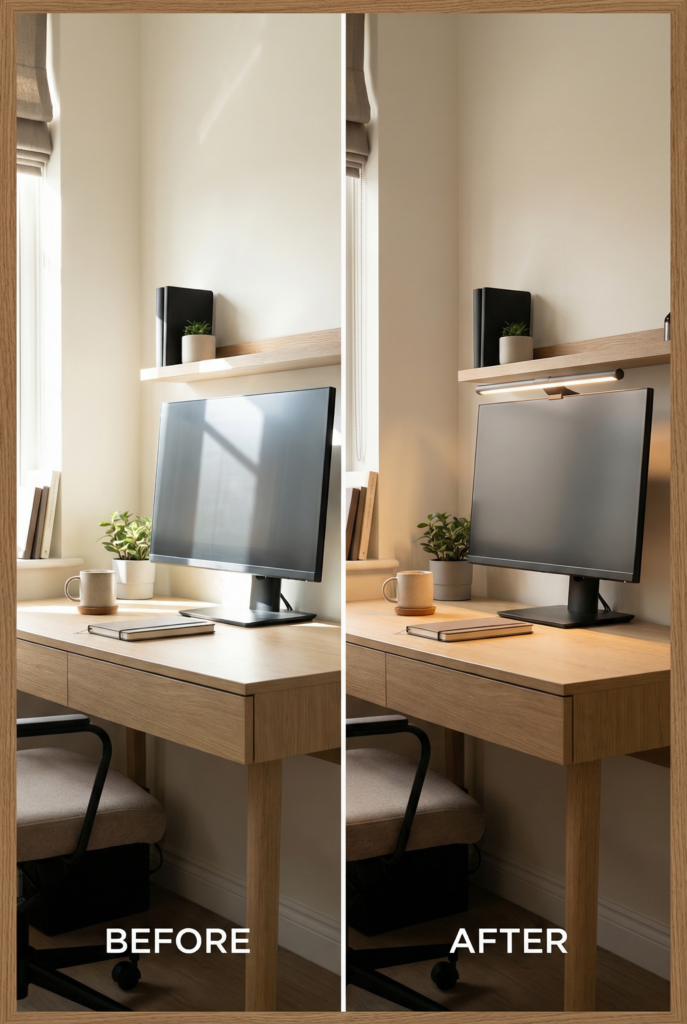
Glare is the enemy of focus.
Quick check:
- If your screen reflects the window, shift the desk or add a shade.
- Place your desk lamp so it doesn’t shine directly into your eyes or onto your screen.
- If you’re right-handed, lamp on the left (and vice versa) so your hand doesn’t cast a shadow.
If you work at night a lot, choose a warm bulb for your lamps. It makes the space feel calmer and less clinical.
Lighting for video calls (soft face light, window positioning)
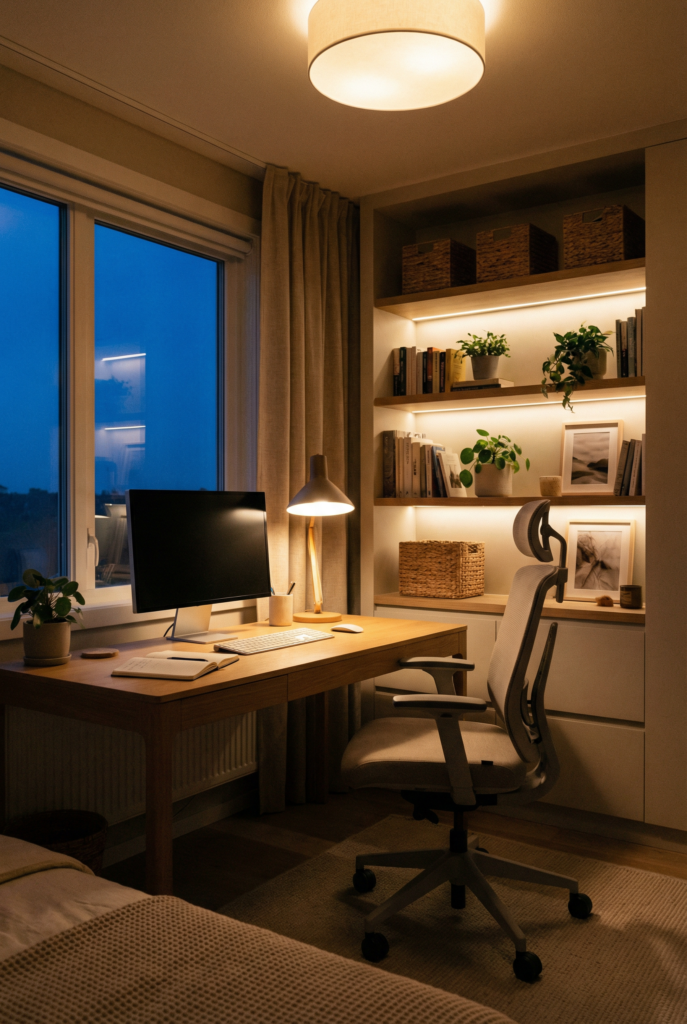
For calls, you want your face lit softly and evenly.
The simplest setup:
- sit facing toward a window or at a slight angle to it
- add a soft lamp behind your camera or near your monitor
- avoid strong backlighting from a window behind you
If you want to go one step further without buying a ring light, use a small lamp with a shade placed slightly off to the side of your monitor. It creates flattering, soft light.
U — Upgrade Organization: Storage, Zones, and a Clutter-Proof Desktop
This is where your home office becomes sustainable. Because a pretty office that turns messy every day is not a vibe, it’s a stress generator.
The “zones” method (work zone, grab zone, drop zone)
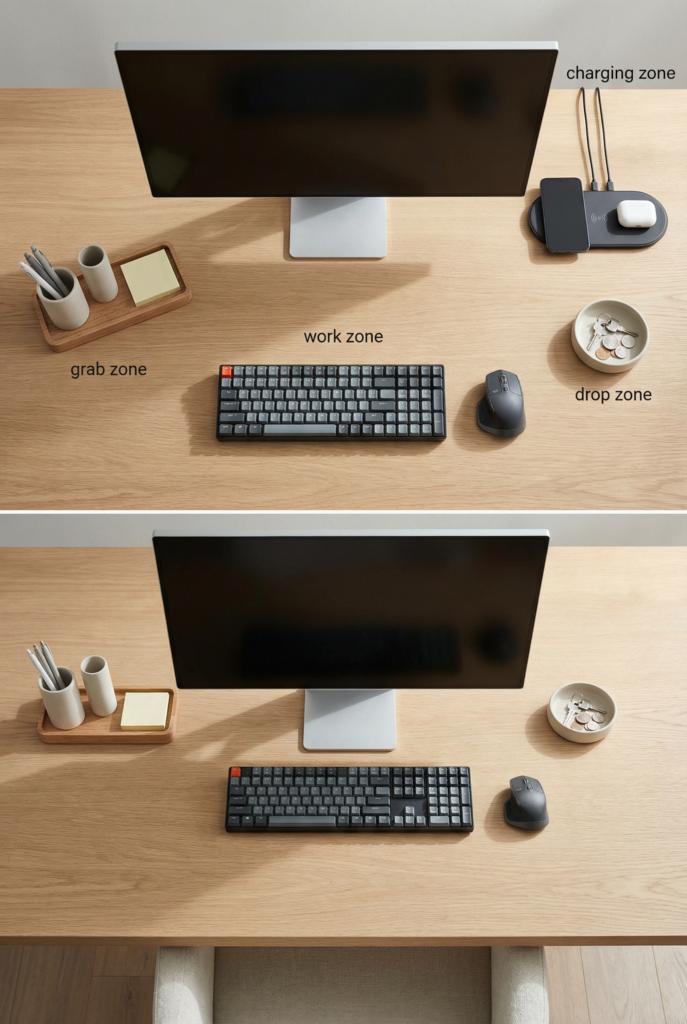
Zones are the secret to a tidy desk.
- Work zone: the clear space where you do the work. Laptop, monitor, notebook. Minimal.
- Grab zone: the daily tools you need, contained in a tray or caddy.
- Drop zone: a single place for incoming paper, mail, and items that need action.
The magic is that everything has a home. And the desk stays clear enough to focus.
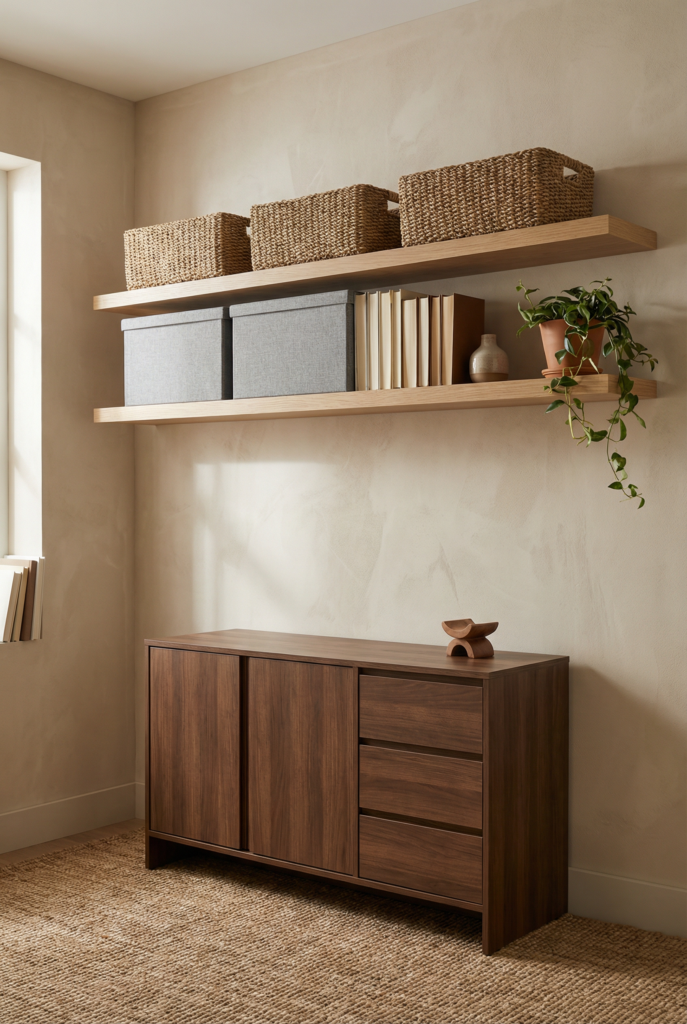
Pick storage based on how you work:
- Shelves: great for books and decor, but be careful with visual clutter.
- Credenza or cabinet: my favorite for hiding the messy necessities.
- Rolling cart: perfect for small spaces and flexible setups.
- Hidden storage: lidded boxes and baskets for quick resets.
If you’re in a shared room, closed storage is your best friend. You can make it look styled and then hide the reality.
Workspace organization basics that will guide you how to decorate a home office: paper flow, cable management, charging station
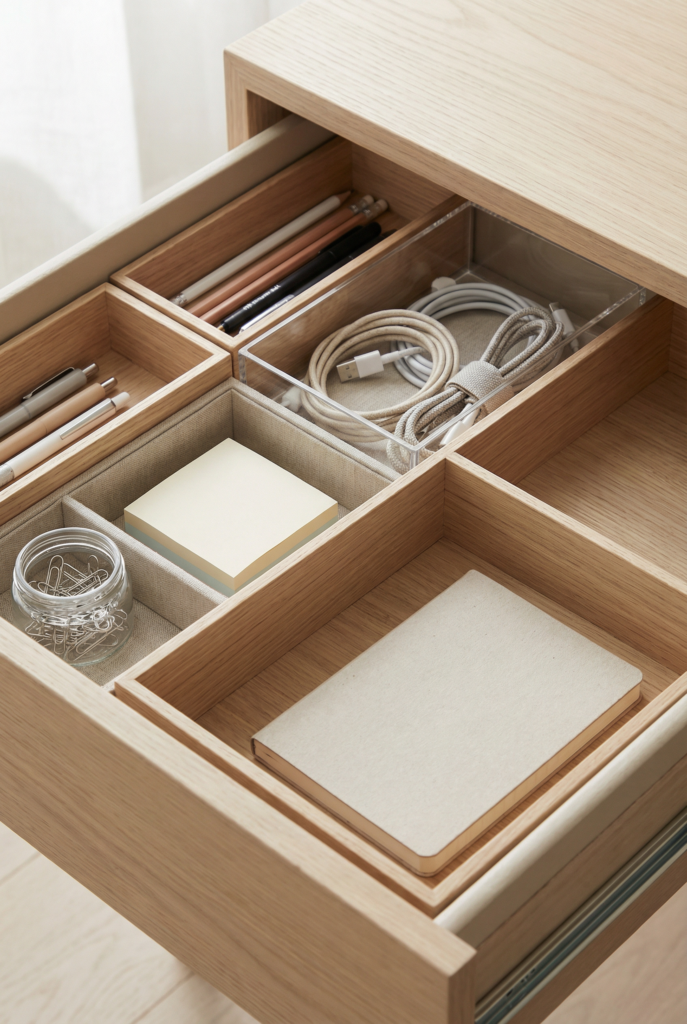
Paper flow: you need one system.
- one inbox tray
- one “to file” folder
- one “to shred/recycle” spot
Cable management: do the basics.
- cord clips
- a cable box
- a mounted power strip under the desk if possible
Charging station: one dedicated spot so cords don’t sprawl. A tray or small container works.
This is where your office starts to feel calm because the small annoyances disappear.
The 1-minute daily reset and 10-minute weekly reset checklist
Daily 1-minute reset:
- clear the desk surface back to baseline
- put paper in the inbox
- return tools to their home
- plug in what needs charging
Weekly 10-minute reset:
- toss trash and recycle paper
- wipe down desk and keyboard
- deal with the inbox
- check cords and chargers
- refresh supplies
This is the difference between “tidy-ish” and “it slowly becomes chaos.”
P — Personalize with Decor: Make It Cozy, Motivating, and “You”
Now we get to the fun part. Decor is the layer that makes your home office feel professional, like a place you actually want to sit.
But I’m going to keep it real: decor works best when function is already handled. Otherwise it becomes clutter.
Home office color schemes that support focus (light vs moody)
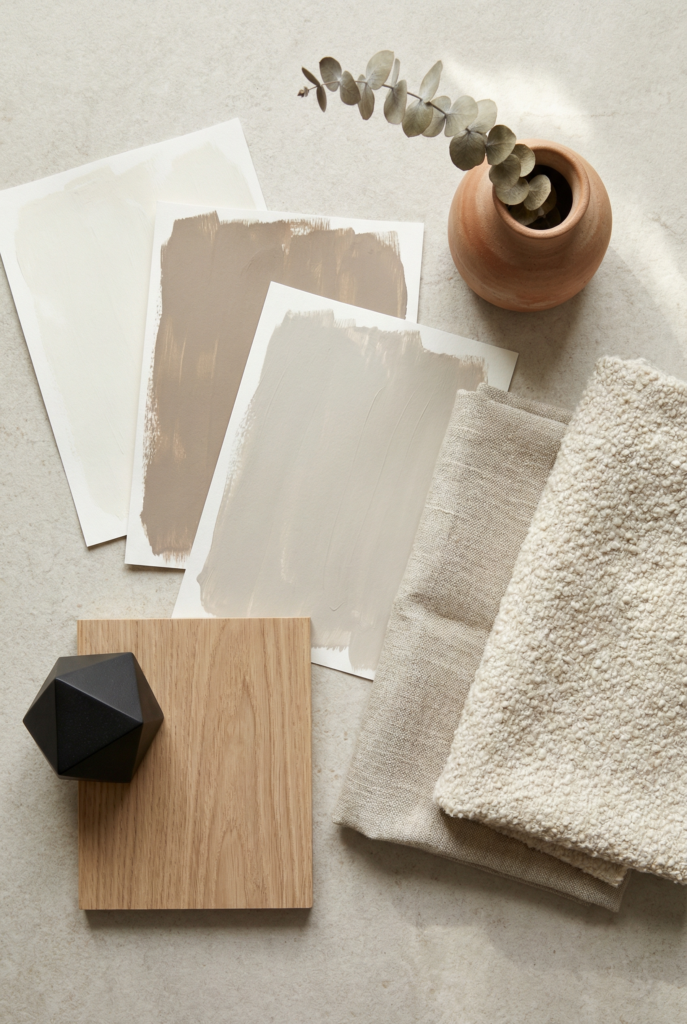
Light palettes feel airy and calm. Moody palettes feel cozy and cocoon-like.
If you’re in a small space, lighter walls and furniture help it feel open. If you want moody, do it intentionally: one accent wall, deep art, darker wood tones, and warm lighting.
For focus: soft neutrals, muted greens, and dusty blues tend to feel steady. If bright colors energize you, use them as small accents rather than the whole room.
Home office accessories that earn their space (desk decor, trays, pinboards)
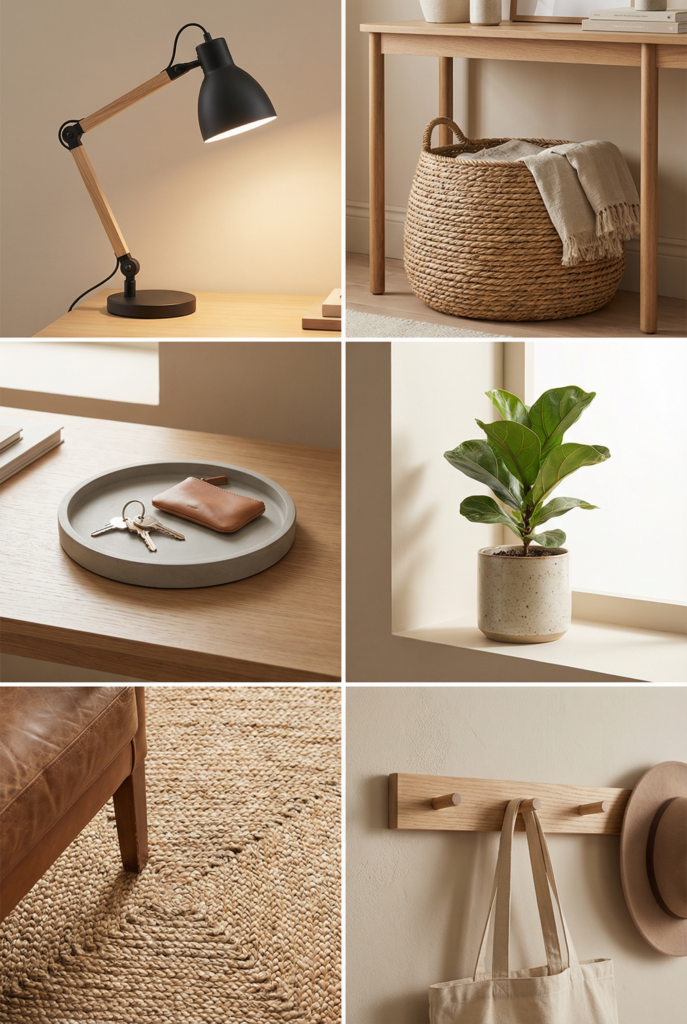
My rule is simple: accessories should either be functional, motivating, or both.
Good desk accessories:
- a tray for daily items
- a pen cup you love
- a desk mat to define the workspace
- a pinboard or clipboard for active projects
Keep it edited so your eyes can rest.
Art, plants, and inspiration without visual clutter
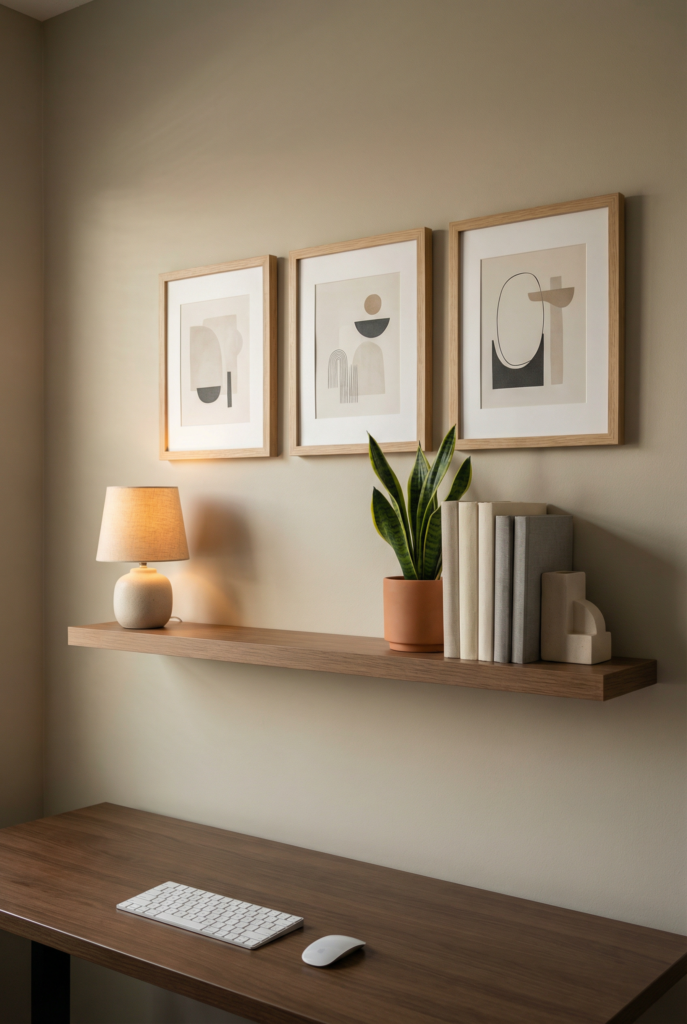
Art is the fastest way to make your space feel intentional.
A few ways to keep it calm:
- one large piece instead of a bunch of small ones
- matching frames for a cohesive look
- leave space between pieces so it doesn’t feel busy
Plants: one plant is enough. If you have low light plants, choose a snake plant or ZZ. If plants stress you out, do a high-quality faux plant and move on with your life.
Inspiration: keep it curated. A pinboard is great if it doesn’t become a junk wall. Rotate what’s up there.
Home office styles and themes, with quick “signature elements”
If you want a Pinterest-friendly home office fast, choose a style lane:
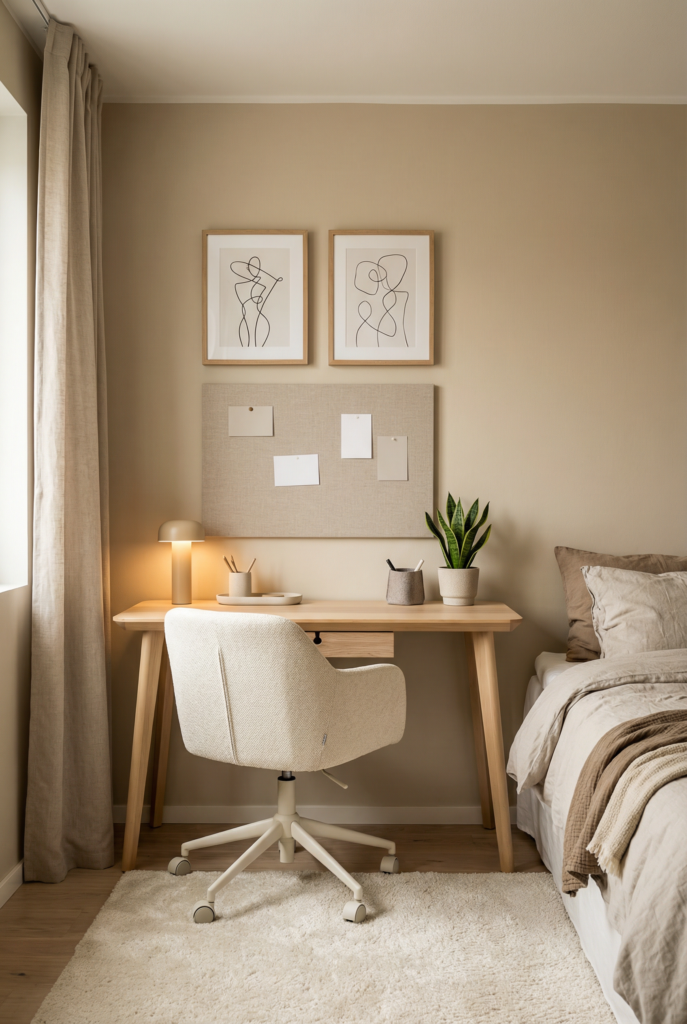
Cozy minimal: warm neutrals, wood, linen textures, one plant, simple art
Signature: a soft lamp glow and a clean desktop
Modern: clean lines, black accents, simple shelving, minimal decor
Signature: one bold art piece and a sleek task lamp
Cottage: vintage touches, warm wood, woven texture, softer color palette
Signature: a rug, a sweet lamp, and a cozy chair
Creative: a bit more color, playful art, visible inspiration, flexible storage
Signature: a pinboard and a storage cart for supplies
Aesthetic finishing touches: texture, rug, curtains, shelf styling
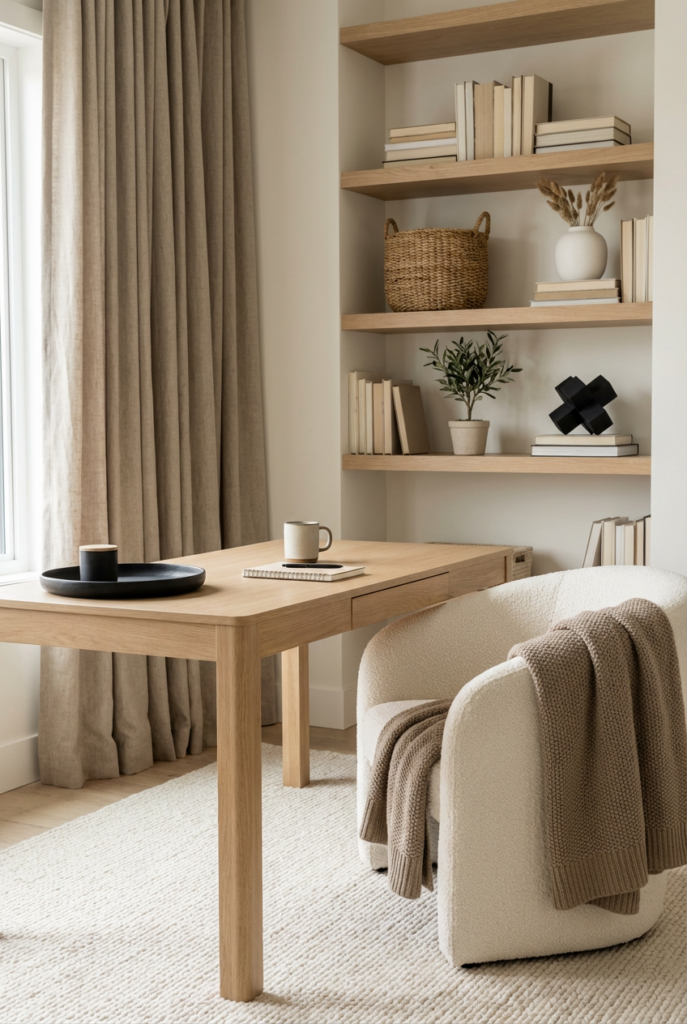
These are the “it feels finished” details:
- a rug under your chair for warmth and sound
- curtains to soften light and improve acoustics
- shelf styling that uses a few larger objects instead of lots of small ones
- a cozy throw on a nearby chair if the office is in a shared room
Texture makes the space feel homey, even if your desk setup is minimal.
Real-Life Setups: 3 Quick Layout Recipes (Steal These)
These are simple layouts you can copy and adjust.
The “Window Nook” setup (small home office)
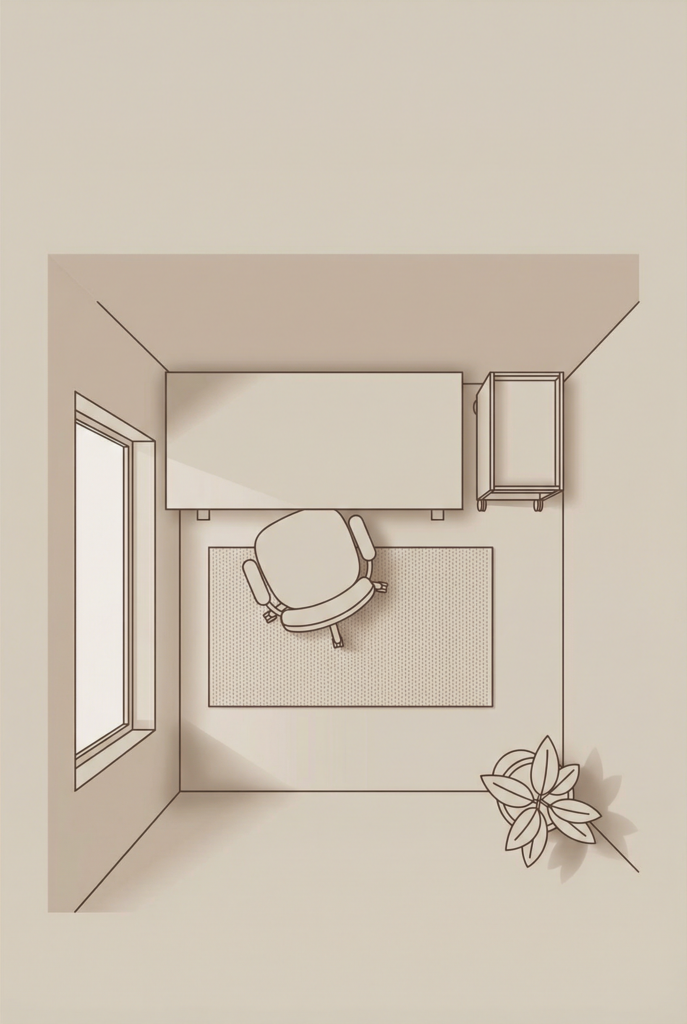
Best for: small spaces and natural light lovers
- desk perpendicular to the window
- wall shelf above the desk for vertical storage
- one small lamp for evening work
- one plant on the floor or corner
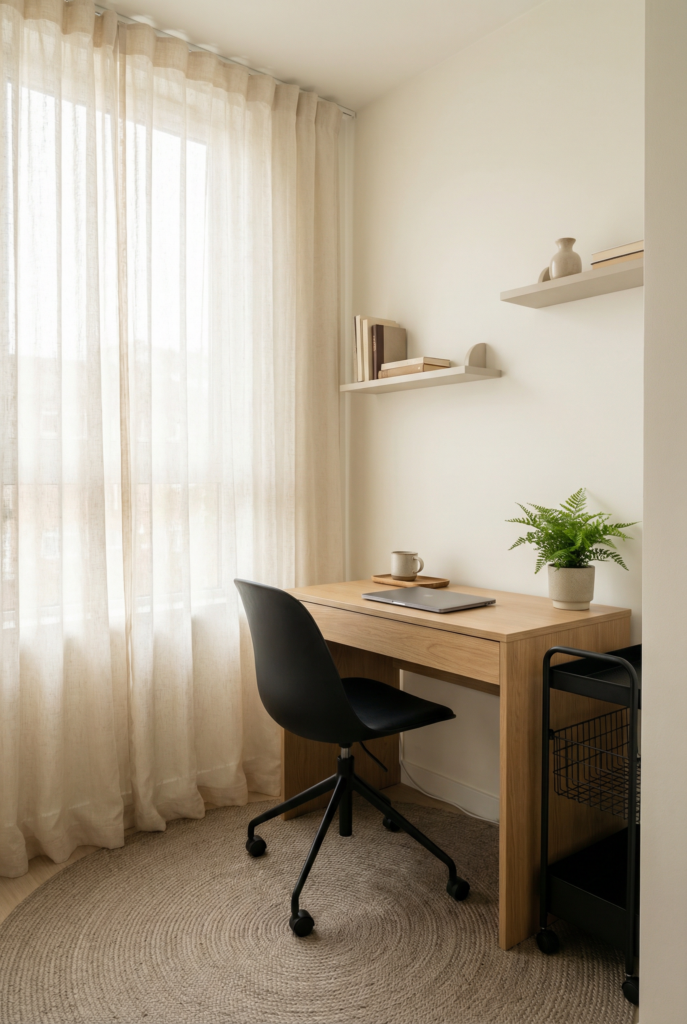
Zoom tip: keep the window to the side, not behind you.
The “Floating Desk Wall” setup (storage-friendly)
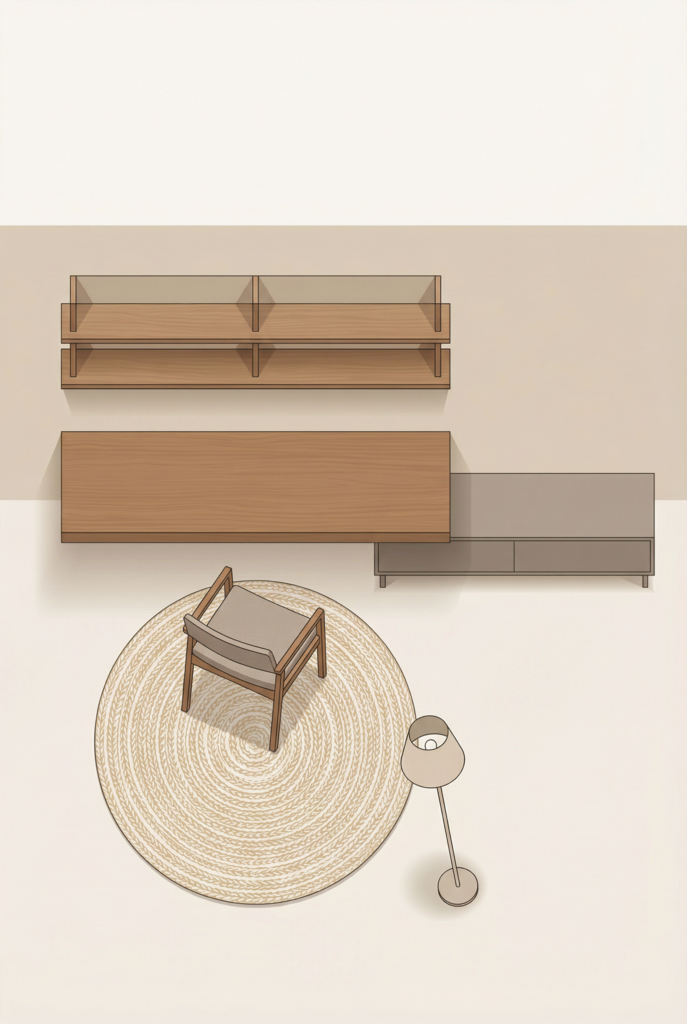
Best for: shared rooms and tidy systems
- desk against a wall
- floating shelves or a wall cabinet above
- a credenza or cabinet next to the desk for hidden storage
- a simple art piece centered above the desk
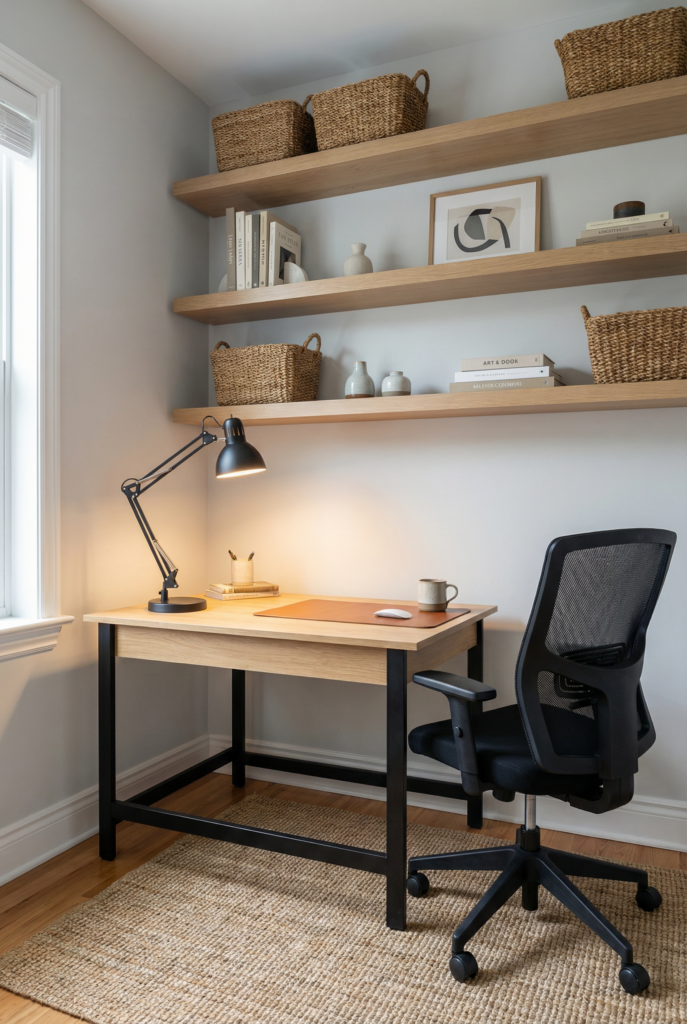
This layout is amazing if you want to close the laptop and hide the mess quickly.
The “Guest Room Office” setup (flexible and tidy)
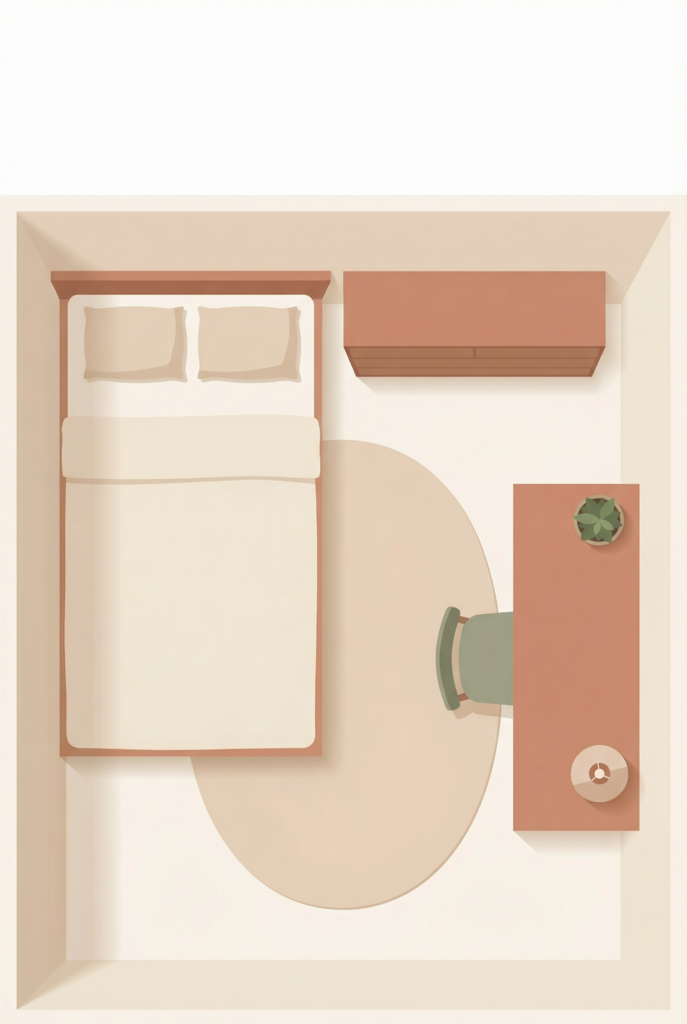
Best for: dual-purpose rooms
- compact desk on the least-used wall
- storage that doubles as decor (a dresser, credenza, or wardrobe)
- a chair that looks like it belongs in the room
- a lamp and art that matches the guest room vibe

Keep the office pieces cohesive with the rest of the room so it doesn’t feel like two clashing spaces.
Common Mistakes That Make a Home Office Hard to Use
This is the part where you can save yourself so much time and money.
Decorating before lighting and storage
If you buy the cute stuff first, you end up with a pretty mess. Solve lighting and storage, then decorate.
Choosing style over comfort (chair and desk mismatch)
If your chair hurts, you will avoid your desk. If your desk is too small, you will sprawl. Comfort is not optional.
Too much open storage (visual noise)
Open shelving looks great in photos, but it shows everything. Too much open storage creates visual clutter, especially in small spaces. Balance open with closed storage.
FAQs
How do I set up a home office that improves productivity?
Start with comfort and lighting: a supportive chair, a desk height that fits you, and layered lighting so your eyes don’t strain. Then add simple organization zones (work, grab, drop) so your desktop stays clear and you can reset fast.
What are the first steps in decorating a productive workspace?
Choose the location, then handle ergonomics and lighting before you buy decor. Storage comes next. Decor is the final layer, once the space works.
How do I choose the best desk placement for focus?
Most people focus best with the desk perpendicular to a window, which gives daylight without glare. If you’re easily distracted, face a wall and control the background with calming art and lighting.
How can lighting improve productivity while working from home?
Good lighting reduces eye strain and fatigue. Use ambient light for the room, a task lamp for work, and a softer accent light for mood so the space feels bright enough without harsh glare.
Wrap-up: pick one S.E.T.U.P. step to do today
If you’re overwhelmed, don’t try to do everything at once. Pick one step.
Today you could:
- choose the best spot for your desk
- fix your lighting so it’s not harsh or dim
- set up one simple storage system for paper
Then save or pin the layout recipes and steal one. And please take a quick before photo. Even if you never show anyone. It’s wildly satisfying to see the glow-up happen.
Your home office doesn’t need to be perfect. It needs to make work feel easier.